Call us on 07869 736 071

Stop the WiFi Dropouts: Why Your UniFi Access Points Must Be Set Up Properly

Author Bart Jansari | Date 2 July 2025 | See ALL Posts
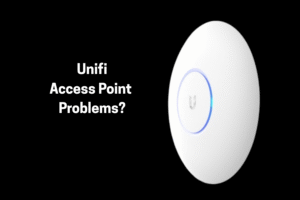
UniFi access point setup to prevent WiFi dropouts and improve whole-home coverage

Over the past few months, we’ve been called out to help homeowners who are frustrated with their UniFi WiFi networks.

The issue isn’t the UniFi access points themselves—they’re excellent products when installed and managed correctly. Unfortunately, we’ve seen an increasing trend: electricians and builders installing these devices without the proper configuration or management in place.

Here’s what we keep encountering:

  • Each access point set up with its own SSID (network name)
    Instead of one seamless WiFi network covering the property, every access point becomes its own separate network. This means as you move from one area to another, your device has to disconnect and reconnect manually. If you’re on a video call, it will drop completely.
  • No central controller
    UniFi systems are designed to be centrally managed through a controller. Without this, devices don’t receive firmware updates, can’t coordinate with each other, and often behave unpredictably.
  • Poor user experience
    Devices stop working, WiFi coverage is inconsistent, and it creates constant frustration.

📌 Case Study: The Two-Network Nightmare

Recently, we helped a customer whose builder installed two UniFi access points—one upstairs and one downstairs. Each had a separate SSID.

The result:

  • When the customer moved from downstairs to upstairs while on a video call, the call would immediately drop.
  • Devices struggled to connect automatically to the stronger signal.
  • The network required frequent manual reconnections.

This setup defeated the purpose of having enterprise-grade WiFi equipment in a residential setting.

How We Fixed It

We reset the access points to factory settings and properly adopted them into a UniFi Gateway Controller. This did a few important things:

  • Created one unified network throughout the property.
  • Enabled seamless roaming, so devices automatically stay connected as you move around.
  • Activated automatic firmware updates, ensuring reliability and security.
  • Allowed central management, so if any issues come up, we can diagnose and fix them remotely.

🛡️ The Benefits of a Managed UniFi Network

If you’re considering UniFi access points, here’s why professional setup matters:
✅ One SSID across your entire property
✅ Seamless handoff between access points
✅ Centralised management and updates
✅ Reliable performance and fewer headaches


Thinking of installing or fixing your WiFi network?
Get in touch today to learn more or to book a site assessment.

Mission Statement

At Simple Home Solutions, we aim to provide cost-effective, straightforward technology solutions for homes and small businesses. We specialize in resolving WiFi issues, computer support, home entertainment, and home security, ensuring our clients receive reliable, easy-to-understand solutions without unnecessary complexity. We aim to make technology work for you—seamlessly, affordably, and with complete peace of mind.
linkedin facebook pinterest youtube rss twitter instagram facebook-blank rss-blank linkedin-blank pinterest youtube twitter instagram